Reverse Engineering OWASP UnCrackable Level 1
24 Aug 2026
I've been exploring the OWASP Crackmes: UnCrackable Level 1 Android application recently and wanted to write about how I solved the challenge. I found two approaches: one using static analysis and another using Frida. In this post, I'll cover the static analysis approach.
Getting Started
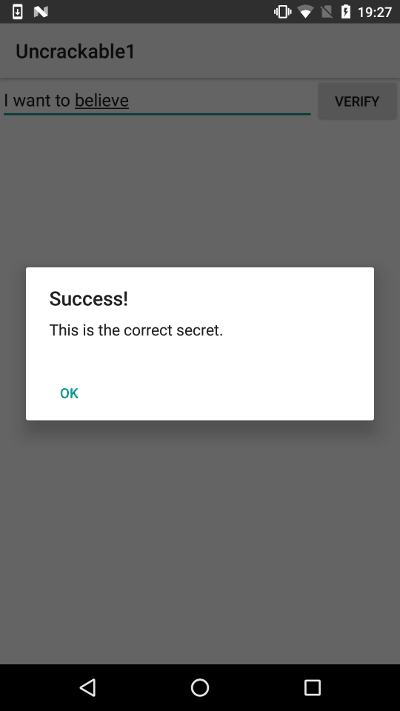
I started by installing the APK on a non-rooted Android emulator and opened the app to see what was shown to the user. Checking to see what output was returned from the input field.
Exploring the code
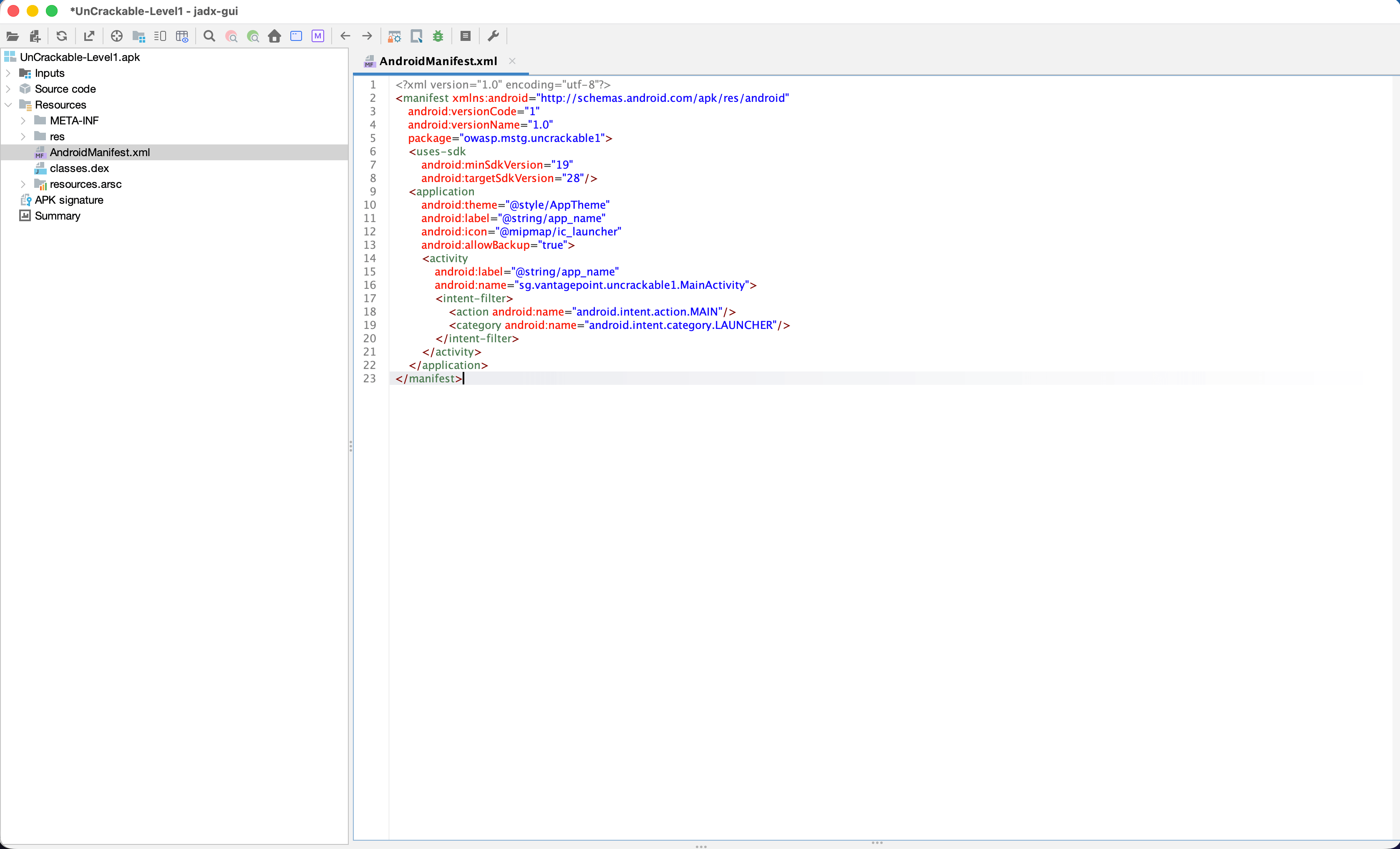
I then opened the APK in JADX and started with AndroidManifest.xml.
From looking at the XML, the package name is owasp.mstg.uncrackable1, and its launcher activity is sg.vantagepoint.uncrackable1.MainActivity.
<?xml version="1.0" encoding="utf-8"?>
<manifest xmlns:android="http://schemas.android.com/apk/res/android"
    android:versionCode="1"
    android:versionName="1.0"
    package="owasp.mstg.uncrackable1">
    <uses-sdk
        android:minSdkVersion="19"
        android:targetSdkVersion="28"/>
    <application
        android:theme="@style/AppTheme"
        android:label="@string/app_name"
        android:icon="@mipmap/ic_launcher"
        android:allowBackup="true">
        <activity
            android:label="@string/app_name"
            android:name="sg.vantagepoint.uncrackable1.MainActivity">
            <intent-filter>
                <action android:name="android.intent.action.MAIN"/>
                <category android:name="android.intent.category.LAUNCHER"/>
            </intent-filter>
        </activity>
    </application>
</manifest>
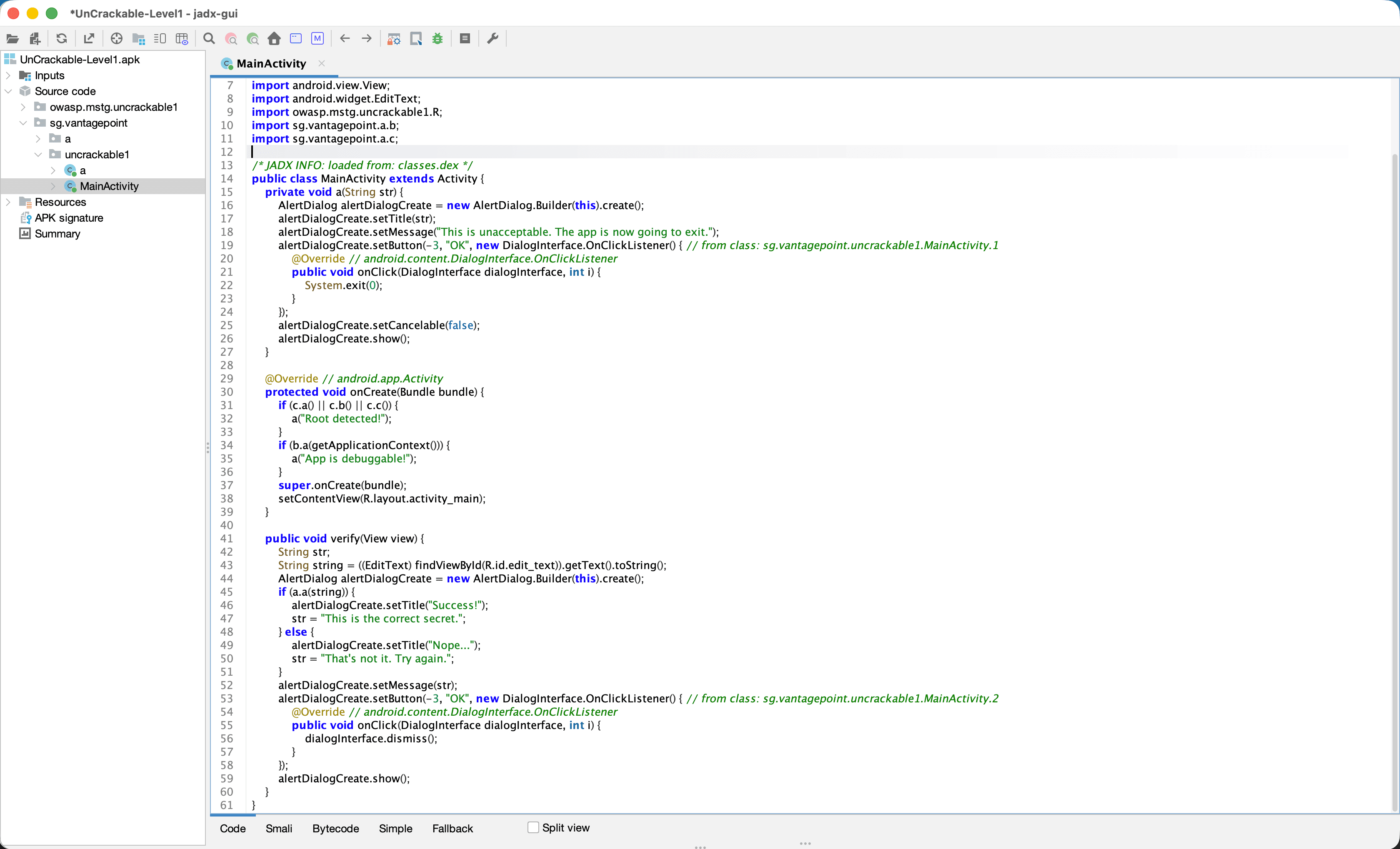
The MainActivity.onCreate() method is set up to check what state the device is in at the start of the app lifecycle. This checks if the app is running on a rooted device or if it's in a debuggable state. If any check succeeds, the app shows a warning dialogue and close the app with System.exit(0).
private void a(String str) {
    AlertDialog create = new AlertDialog.Builder(this).create();
    create.setTitle(str);
    create.setMessage("This is unacceptable. The app is now going to exit.");
    create.setButton(-3, "OK", new DialogInterface.OnClickListener() { // from class: sg.vantagepoint.uncrackable1.MainActivity.1
        @Override // android.content.DialogInterface.OnClickListener
        public void onClick(DialogInterface dialogInterface, int i) {
            System.exit(0);
        }
    });
    create.setCancelable(false);
    create.show();
}

@Override // android.app.Activity
protected void onCreate(Bundle bundle) {
if (c.a() || c.b() || c.c()) {
a("Root detected!");
}
if (b.a(getApplicationContext())) {
a("App is debuggable!");
}
super.onCreate(bundle);
setContentView(R.layout.activity_main);
}
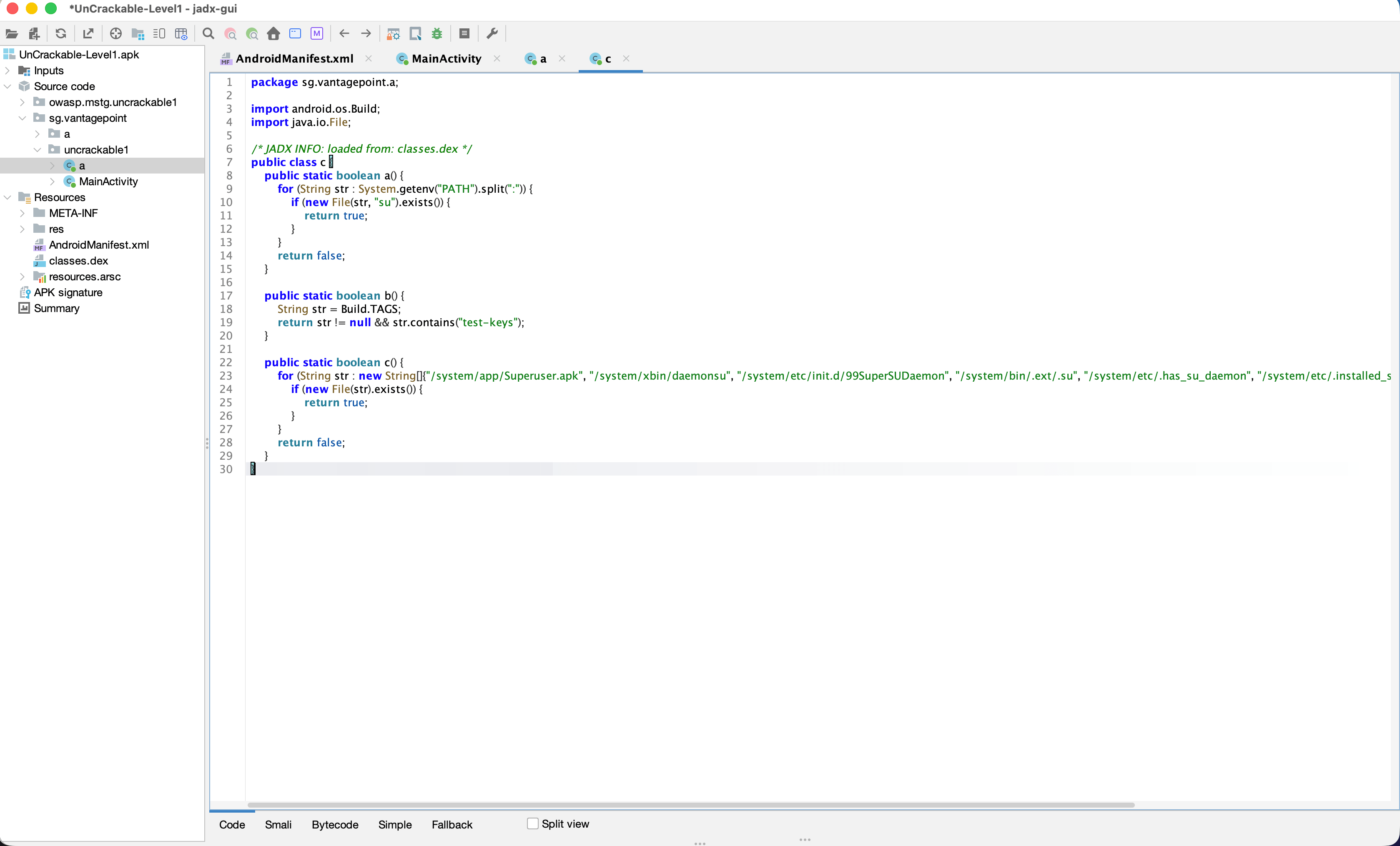
Below we can see the specfic checks being done in sg.vantagepoint.a.c. The app is look for a su binary on the device path, test-keys in Build.TAGS, and known root-related files.
Moving on to the verify() method it passes the entered value to sg.vantagepoint.uncrackable1.a.a().
This is the most intreasting part of the analysis. The method converts a hard-coded hexadecimal key to bytes, Base64-decodes a hard-coded ciphertext, decrypts it, and compares the result with the user's input.
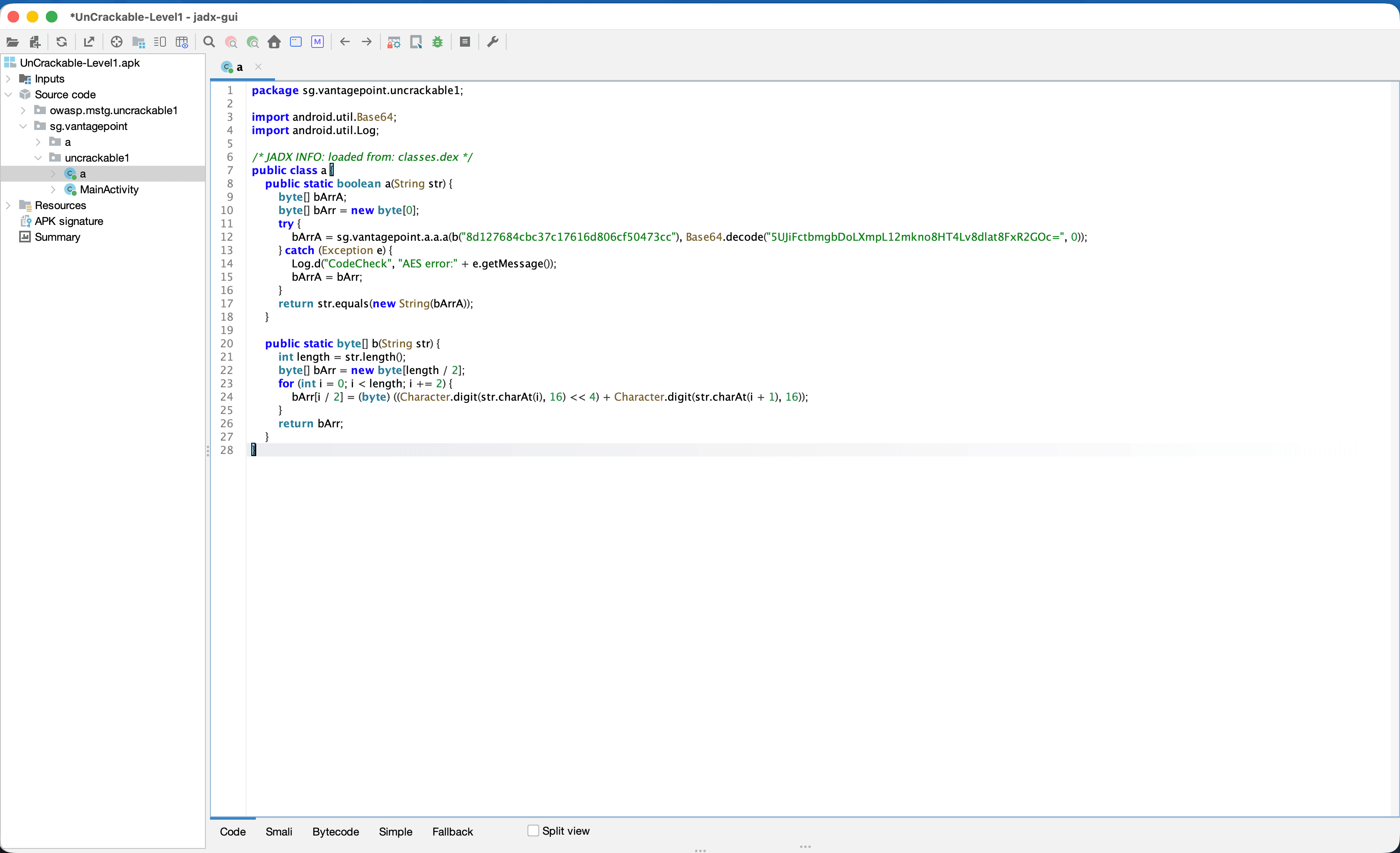
public class a {
public static boolean a(String str) {
byte[] bArr;
byte[] bArr2 = new byte[0];
try {
bArr = sg.vantagepoint.a.a.a(b("8d127684cbc37c17616d806cf50473cc"), Base64.decode("5UJiFctbmgbDoLXmpL12mkno8HT4Lv8dlat8FxR2GOc=", 0));
} catch (Exception e) {
Log.d("CodeCheck", "AES error:" + e.getMessage());
bArr = bArr2;
}
return str.equals(new String(bArr));
}

    public static byte[] b(String str) {
        int length = str.length();
        byte[] bArr = new byte[length / 2];
        for (int i = 0; i < length; i += 2) {
            bArr[i / 2] = (byte) ((Character.digit(str.charAt(i), 16) << 4) + Character.digit(str.charAt(i + 1), 16));
        }
        return bArr;
    }

}
Decoding the secret with static analysis
At this point, I had found enough to start trying to recover the secret.
The key is 8d127684cbc37c17616d806cf50473cc, and the ciphertext is 5UJiFctbmgbDoLXmpL12mkno8HT4Lv8dlat8FxR2GOc=. My first idea was to just use the base64 terminal command to decode it but didn't get anywhere so i looked into how to decrpyt it.
Which lead me to creating this script in python which had packages to do the job.
import base64
from Crypto.Cipher import AES
from Crypto.Util.Padding import unpad

key_hex = "8d127684cbc37c17616d806cf50473cc"
encoded = "5UJiFctbmgbDoLXmpL12mkno8HT4Lv8dlat8FxR2GOc="

key = bytes.fromhex(key_hex)
ciphertext = base64.b64decode(encoded)
cipher = AES.new(key, AES.MODE_ECB)

plaintext_padded = cipher.decrypt(ciphertext)
print("Raw decrypted:", plaintext_padded)

plaintext = unpad(plaintext_padded, AES.block_size)
print("Plaintext:", plaintext.decode())
Running the script produces:
$ python3 solve.py
Raw decrypted: b'I want to believe\x0f\x0f\x0f\x0f\x0f\x0f\x0f\x0f\x0f\x0f\x0f\x0f\x0f\x0f\x0f'
Plaintext: I want to believe
The repeated \x0f bytes are the PKCS#7 padding. After removing them, the secret is I want to believe.
Entering it into the app and I get this success message